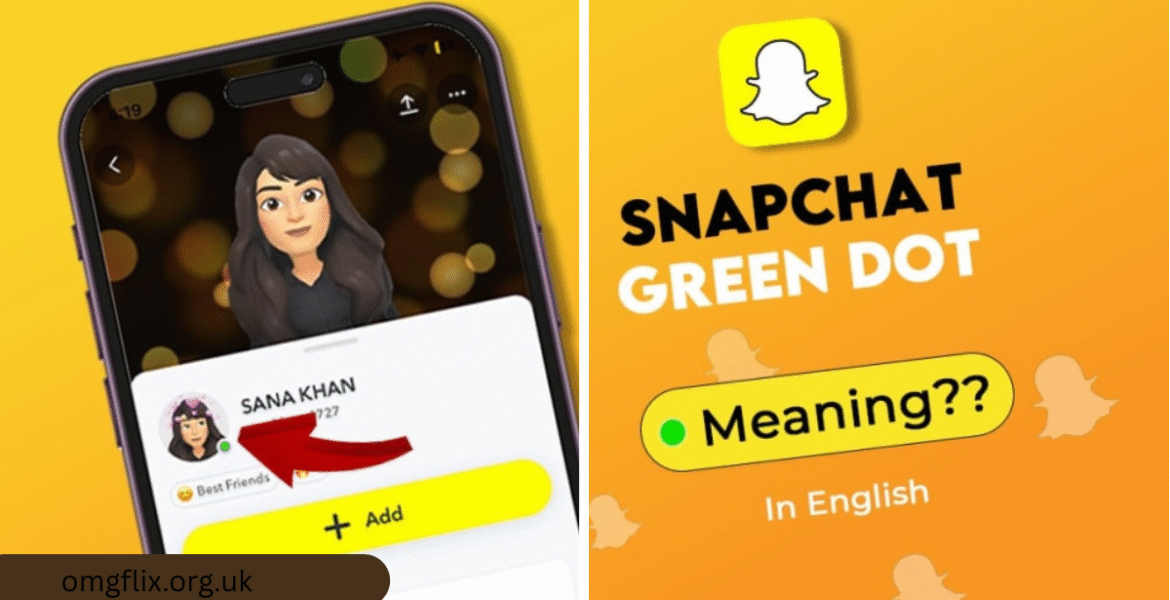
The small, glowing green dot on Snapchat has become one of the platform’s most discussed—and sometimes misunderstood—features. More than just a simple indicator, this tiny beacon sits at the intersection of digital connection, social etiquette, and personal privacy. It signals a user’s active presence in the app, transforming how conversations are initiated and perceived. For millions of daily users, the green dot is a constant companion, subtly shaping the rhythm of their social interactions. Whether you see it as a welcome invitation for a quick chat or an unwanted spotlight on your app usage, understanding its mechanics and implications is key to navigating modern social dynamics. This comprehensive guide will unpack everything about the Snapchat green dot, from its technical workings to its profound impact on digital communication norms.
The Technical Anatomy of the Snapchat Activity Indicator
The green dot on Snapchat is a real-time activity indicator, powered by a relatively straightforward technical process. When you open the Snapchat application and establish an active internet connection, the app sends a signal to Snapchat’s servers. This signal updates your status in their system to “active.” This status is then broadcast—with the important caveat of privacy settings and friend permissions—to relevant users within your network. The green dot is not a vague “recently online” marker; it is a live signal, typically disappearing within seconds after you close the app or switch to another task, assuming you’ve fully backgrounded the application. It’s designed to show that you are literally in the app at that very moment, capable of viewing a chat or snapping back immediately.
However, this simplicity on the surface belies a more complex set of rules and conditions. The green dot does not appear for all friends under all circumstances. Its visibility is governed by a matrix of privacy controls, friendship confirmations, and user interactions. For instance, if you have enabled “Ghost Mode” in Snap Map, your green dot will not appear, as this mode is designed to hide your location and activity status. Furthermore, the indicator is tied primarily to the Chat section of the app. A user might be active in other parts of Snapchat, like watching Stories or browsing Spotlight, and the green dot may still appear, signaling general app activity rather than chat-specific presence. This technical nuance is crucial for users to grasp, as it defines the very boundaries of what is being communicated when the dot is visible.
The Core Purpose and Social Function of the Live Status
Snapchat introduced the green dot with a clear intent: to facilitate more immediate and fluid conversations. In a fast-paced messaging environment, knowing if someone is actively using the app removes the uncertainty of waiting for a reply. It turns messaging from an asynchronous interaction into a potential synchronous one. The green dot acts as a digital nod or wave, a non-verbal cue that someone is present and potentially available for a quick chat. This can be incredibly useful for coordinating spontaneous plans, asking urgent questions, or simply engaging in a flowing, real-time conversation that mimics face-to-face interaction. It enhances the app’s core promise of casual, in-the-moment communication.
From a social perspective, the green dot has evolved into a nuanced tool of connection. It creates a sense of shared presence, fostering a feeling of community and accessibility among friends. When you see a close friend’s green dot, it can feel like an open door for a casual check-in. This feature is particularly aligned with Snapchat’s younger demographic, who often prefer lightweight, immediate communication over formal scheduled chats. The social function extends beyond practicality; it reinforces bonds by offering constant, low-stakes points of potential contact. However, this very function also seeds the complex social pressures and privacy concerns that surround the feature, as this constant visibility is a double-edged sword in the realm of digital socializing.
Navigating Snapchat’s Privacy Settings for the Activity Indicator
Managing your visibility through the Snapchat green dot is primarily achieved through the app’s privacy settings, offering users a significant degree of control. The most direct method is to activate “Ghost Mode” within the Snap Map feature. While Ghost Mode’s primary function is to hide your location from the map, it also has the effect of removing the green dot activity indicator from next to your Bitmoji and name in the Chat feed. It’s a blanket setting that prioritizes privacy across location and live status. To enable it, you simply pinch the screen on the camera view to open the Snap Map, tap the settings cog, and toggle on “Ghost Mode.” You can choose a time duration for this mode, from 3 hours to 24 hours, or until you turn it off manually.
For users seeking more granular control, Snapchat provides additional layers of management within the privacy settings menu. You can navigate to “Settings” > “Privacy” > “Activity Status.” Here, you may find options to adjust who can see your activity indicator. Crucially, if you turn off your activity status for someone, you also lose the ability to see theirs—a reciprocal arrangement that maintains fairness. This allows for selective visibility; perhaps you want your closest friends to see your green dot but not acquaintances. It’s essential to review these settings periodically, as app updates can sometimes shift default options or add new controls. Understanding these menus is the first step in consciously curating your digital presence, ensuring the Snapchat green dot serves your social comfort level rather than undermining it.
The Etiquette and Unspoken Rules of the Green Dot
The presence of the Snapchat green dot has given rise to a new set of digital etiquette rules, largely shaped by user experience and social expectation. A primary, unspoken rule is that seeing a friend’s green dot is an invitation to possibility, not an obligation for response. Just because someone is active in the app does not mean they are in a mental or social space to engage in a conversation. They might be quickly checking notifications, watching stories, or snapping with someone else. Therefore, sending a message when you see the dot should be done with the understanding that an immediate reply is not guaranteed. The etiquette leans towards using it as a cue for low-pressure, non-urgent initiation, avoiding messages that demand instant attention or action.
On the flip side, there’s an etiquette for the person being seen as active. Many users feel a subtle pressure to respond quickly when they are “caught” with the green dot visible after receiving a message. This can lead to rushed replies or the feeling of being perpetually “on call.” Savvy users often develop habits to manage this, like checking messages from the notification shade without fully opening the app (which can avoid triggering the dot), or being upfront if they’re busy. Acknowledging that the dot is a blunt instrument—it shows activity, not intent or availability—helps mitigate these social pressures. The healthiest approach for all parties is to decouple the indicator from expectation, treating it as a useful signal rather than a binding social contract.
Common Misconceptions and Myths Debunked
A prevalent misconception about the Snapchat green dot is that it only appears when a user is actively typing in a chat window. This is not accurate. The indicator lights up whenever the app is open and active on the user’s screen, regardless of whether they are in the Chat section, viewing Stories, exploring the Map, or creating a Snap. It signifies overall app engagement, not a specific action like composing a message. Another common myth is that the dot means the user has seen your specific message. This is also false. The green dot denotes general app presence, not that your chat has been opened or read. Message reads are indicated separately by the blue-filled arrow or the opened status within the conversation thread itself.
Another area of confusion surrounds the relationship between the green dot and Snap Map location visibility. Users often believe that if their location is hidden on the Map, their green dot is automatically hidden everywhere. While enabling Ghost Mode does hide both, the controls are linked to that feature. It is possible, though less common, for app behaviors or settings to create perceived inconsistencies. For example, a user might appear on your map but not have a green dot at that moment because they aren’t actively in the app. Understanding these distinctions is vital. The Snapchat green dot is a standalone activity indicator, and while it is often managed alongside location privacy, it operates on a related but separate set of data points within Snapchat’s architecture.
The Psychological Impact of Constant Connectivity
The Snapchat green dot embodies the modern phenomenon of constant digital connectivity, which carries significant psychological weight, particularly for younger users. On the positive side, it can satisfy the human need for social availability and reduce anxiety around communication delays. Seeing a friend’s active status can provide a sense of proximity and community, countering feelings of isolation. It creates a low-barrier environment for spontaneous social interaction, which can be beneficial for maintaining friendships. The indicator can make the vast digital space feel more intimate and responsive, mimicking the comfort of having a friend in the next room.
Conversely, this constant visibility can generate pressure and anxiety—a state often called “availability stress.” Users may feel compelled to be perpetually responsive, fearing that ignoring a message while visibly active will be perceived as rude or dismissive. This can lead to compulsive app checking and an inability to set healthy digital boundaries. The green dot can also fuel over-analysis in relationships; wondering why someone was active but didn’t reply can trigger insecurities. The feature, therefore, sits at the center of a broader cultural conversation about digital wellness. As social media researcher Dr. Alicia Webb notes, “Features like real-time activity indicators are designed to increase engagement, but they often externalize our social expectations in a way that can be taxing. The Snapchat green dot isn’t just a technical feature; it’s a social signal that we have to learn to interpret and manage for our own mental health.”
Strategic Uses for Brands, Influencers, and Content Creators
For brands, influencers, and creators on Snapchat, the green dot transforms from a personal social cue into a powerful community management and engagement tool. When an account’s green dot is visible to its subscribers or friends, it signals a live and attentive presence. This creates a prime window for real-time interaction. A brand can capitalize on this by announcing via Story that they are “active and answering questions” for the next hour, using the green dot as a visual proof of availability. This tactic can dramatically increase direct message engagement, foster a sense of accessibility, and humanize the brand. It turns a broadcast platform into a two-way conversation channel at key moments.
Influencers can use the indicator strategically to deepen fan relationships. Going “live” in the app with the green dot visible during a Q&A session, a behind-the-scenes moment, or just to chat makes followers feel directly connected. It encourages immediate feedback and participation. However, the strategic use also requires careful management to avoid burnout. Creators often need to set clear boundaries, using Ghost Mode or turning off activity status when they are not in “work mode” to separate professional availability from personal time. The key is to leverage the green dot intentionally—turning it into a scheduled event or a special access perk rather than a 24/7 expectation. This approach maximizes its utility as an engagement booster while protecting the creator’s privacy.
Troubleshooting and Glitches: When the Green Dot Behaves Oddly
Users often encounter situations where the Snapchat green dot seems to behave illogically, leading to confusion. A common report is seeing a green dot next to a friend’s name who hasn’t been active for a long time, or the dot persisting after you know they’ve closed the app. These incidents are usually attributable to technical glitches rather than a surveillance error. The most frequent cause is a lag in status update propagation across Snapchat’s servers. A user might close the app, but a slight delay in signaling the server to update their status can leave the green dot visible for a few extra seconds or, in rare cases of connection issues, minutes. Cache corruption within the app can also cause stale data to display.
Another troubleshooting point involves the interplay between app permissions and phone operating systems. On iOS and Android, battery optimization features or restrictive background app refresh settings can interfere with Snapchat’s ability to accurately update a user’s status when they switch away from the app. This might cause the green dot to disappear prematurely or stick around. If you consistently notice inaccurate activity indicators, standard fixes include ensuring your app is updated to the latest version, clearing the app’s cache (in Android settings or via the Snapchat storage menu), and checking your device’s connection stability. A simple phone restart can also resolve temporary software hiccups that affect status reporting.
Comparing Activity Indicators: Snapchat vs. Other Social Platforms
The Snapchat green dot is part of a broader ecosystem of social media activity indicators, each with its own design philosophy and user impact. Comparing it to other platforms highlights Snapchat’s unique approach to real-time presence. Unlike the more passive “Last Active” timers found on WhatsApp or Telegram, Snapchat’s dot is aggressively current, showing live activity. This makes it more immediately useful for sparking conversation but also more intrusive. Instagram’s green dot, found in Direct Messages, is perhaps the most direct equivalent, functioning almost identically to signal active app presence. Facebook Messenger uses both a green dot and a smaller, hollow circle to indicate active now versus recently active, offering a slightly more nuanced view.
| Platform | Indicator Name/Type | What It Shows | Granular User Control | Typical User Perception |
| Snapchat | Green Dot | Live, in-app activity | Moderate (via Ghost Mode & Privacy settings) | High-pressure, immediate, for casual chat |
| Green Dot in DM | Live, in-app activity | Low (only on/off for all) | Similar to Snapchat, but for broader network | |
| Facebook Messenger | Green Dot / Hollow Circle | “Active Now” / “Active Recently” | Moderate (can turn off active status) | Standard for messaging, less pressure |
| “Last Seen” Timestamp | Time of last app usage | High (can hide from specific contacts) | Asynchronous, less pressure, more private | |
| iMessage | No standard dot; “Typing…” & Read Receipts | Typing indicator & read status | High (can turn off read receipts) | Focused on conversation state, not general activity |
The table reveals a spectrum from explicit, real-time indicators (Snapchat, Instagram) to more subtle, asynchronous ones (WhatsApp). Snapchat’s model is designed for its core use case: fleeting, immediate communication. The lack of a “recently active” buffer makes the Snapchat green dot feel more urgent and present-focused than indicators on platforms built for different types of interaction, like LinkedIn’s “Recently Active” tag for professional networking. This design choice is intentional, reinforcing Snapchat’s identity as the home for live, in-the-moment sharing.
The Evolution of the Feature and Future Predictions
The Snapchat green dot has not remained static since its introduction. It has evolved alongside user feedback and the platform’s shifting priorities. Initially, the feature had fewer privacy controls, leading to user concerns that spurred the introduction of more robust settings linked to Ghost Mode and the privacy menu. Snapchat has experimented with the indicator’s prominence and placement within the Chat interface, at times making it more or less visually obvious based on design updates. The evolution reflects a balancing act between Snapchat’s desire to foster engagement through presence and the necessity to address growing user demand for digital wellbeing tools and privacy controls.
Looking to the future, we can anticipate further refinements. Snapchat may introduce more granular timing options, allowing users to schedule when their activity indicator is visible (e.g., only visible to friends on weekends). There is also potential for “contextual status” integration, where the green dot could be accompanied by a user-set status like “Gaming,” “Studying,” or “Driving,” managed manually or through AI sensing phone activity. This would add valuable intent context to the simple fact of activity. Furthermore, as augmented reality (AR) and the metaverse evolve, the concept of a “presence indicator” could leap from a dot on a chat list to a real-time aura around a user’s Bitmoji avatar in a shared AR space. The core function of the Snapchat green dot—to signal availability for connection—will remain, but its expression will become richer and more integrated into immersive digital experiences.
Pro Tips for Power Users and Privacy-Conscious Individuals
For users who want to harness the green dot’s benefits without falling prey to its drawbacks, adopting a few pro strategies is essential. First, master the “notification check” method. On both iOS and Android, you can view and often reply to Snapchat messages directly from the notification pull-down shade or lock screen without fully launching the app. This allows you to read and thoughtfully respond to messages without triggering the green dot, buying you time and privacy. Second, get disciplined with Ghost Mode scheduling. If you have a regular study block, work period, or family time, set Ghost Mode to activate automatically for those 3-4 hour windows. This creates predictable digital quiet hours for yourself and your friends.
Privacy-conscious individuals should conduct a regular “privacy audit.” Go to Settings > Privacy > Activity Status and review your preferences. Consider creating a mental tier list: Close Friends (see my dot), Acquaintances (do not see my dot). Implement this using the selective settings if available. Additionally, understand that closing the app fully (swiping it away from your recent apps) is the surest way to make the green dot disappear quickly. Simply pressing the home button might keep the app active in the background for a short period, prolonging the indicator. The ultimate pro tip is internal: cultivate a mindset where you do not feel obligated to respond instantly just because you were seen active. Your time and attention are yours to control, and the Snapchat green dot is merely a tool, not a taskmaster.
Conclusion
The Snapchat green dot is a deceptively simple feature with wide-ranging implications for how we connect, communicate, and manage our digital selves. It stands as a powerful tool for fostering immediate, spontaneous conversation, perfectly aligned with Snapchat’s ethos of live, ephemeral sharing. Yet, it also introduces complex layers of social expectation, privacy consideration, and psychological impact that every user must navigate. By understanding its technical workings, mastering its privacy controls, and adopting healthy etiquette, users can transform this tiny indicator from a source of anxiety into an asset for richer digital interaction. Whether you choose to broadcast your activity freely or guard it closely, the power ultimately lies in informed, intentional use. As social platforms continue to blur the lines between presence and privacy, the lessons learned from managing the Snapchat green dot will undoubtedly inform our broader relationship with technology and each other.
Frequently Asked Questions
What exactly does the Snapchat green dot mean?
The Snapchat green dot is a real-time activity indicator. When you see it next to a friend’s name in the Chat section, it means they currently have the Snapchat app open and active on their device. It signifies they are present in the app at that very moment, not just that they were recently online.
Can someone see that I’m active if I’m just checking notifications?
It depends on how you check. If you open the Snapchat app fully to view your messages, you will likely trigger the Snapchat green dot. However, if you view and reply to a message directly from your phone’s notification shade or lock screen without opening the app, you can often avoid the activity indicator being shown to your friends.
How do I turn off the green dot so my friends can’t see I’m active?
You can hide your Snapchat green dot by enabling “Ghost Mode” in the Snap Map. Open the Map by pinching the camera screen, tap the settings cog, and toggle on Ghost Mode. You can also check your direct Activity Status settings under Settings > Privacy. Remember, if you turn off your activity status for someone, you won’t be able to see theirs either.
Why do I see a green dot but the person isn’t replying to my message?
The Snapchat green dot shows general app activity, not a specific action related to you. The person could be watching Stories, browsing the Map, snapping with someone else, or simply not in the mood to chat. Seeing the dot is not a guarantee they have seen your specific message or are available to respond to you immediately.
Is the green dot connected to my location on the Snap Map?
They are related but separate features. The primary control for both is “Ghost Mode.” Enabling Ghost Mode will hide your location on the Map and your Snapchat green dot activity indicator. However, the dot itself is not a location tracker; it only communicates that you are actively using the app, not where you are.